 Sentinel Core
JS8 Firefly is a JS8 client for iPhone, iPad and Mac. It uses the same modem and messaging as JS8Call, so you can chat, send heartbeats and leave messages with any JS8Call station, from a phone, a Digirig and a QRP rig, or from the Mac in your shack.
The same 8-tone modem, sync and error correction as JS8Call, on Slow, Normal, Fast, Turbo and Ultra. It decodes all five at once and talks to any JS8Call station.
Directed queries (SNR?, GRID?, INFO?, STATUS?, HEARING?), auto-replies, heartbeats and their acknowledgements, CQ, groups, relays and compound callsigns. Follow every conversation on the band, or just the one on your offset.
Messages left for you with MSG land in your inbox. Hold messages for other stations with MSG TO: and they can pick them up later with QUERY MSGS.
Plug a Digirig Lite into the iPhone and PTT is keyed by a tone on the right audio channel. Plug in a QMX or QDX and the app switches to VOX for you.
Change frequency in the app and the radio follows, and the app follows the VFO. Presets for the QMX, FTDX3000 and many Yaesu, Kenwood, Elecraft, Icom and Xiegu radios.
A flattened audio waterfall with every decode labelled on it and a line at the start of each transmit period. Tap a signal to jump to it, and set the contrast with one slider.
One panel for audio: a receive meter with a target zone and clipping warning, input gain, transmit level in fine steps and a Tune button. Changes apply live, even mid-transmission.
Set your Maidenhead grid from the phone's location with one tap, or turn on automatic updates so it follows you on a portable or mobile outing. You can still type it in yourself.
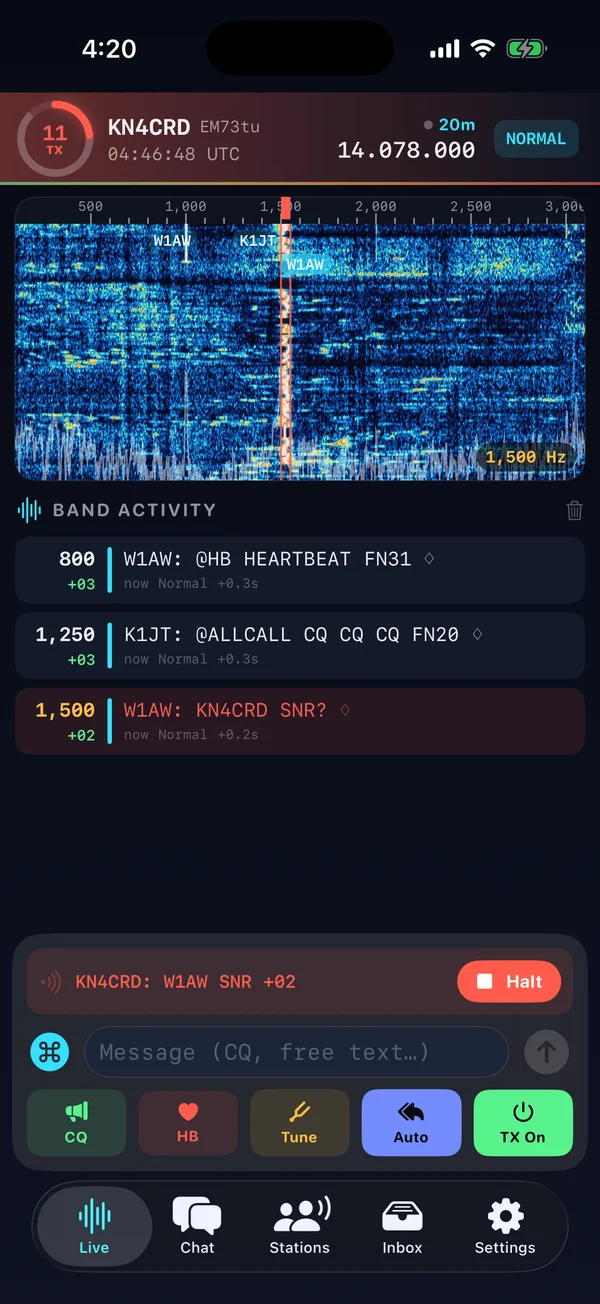
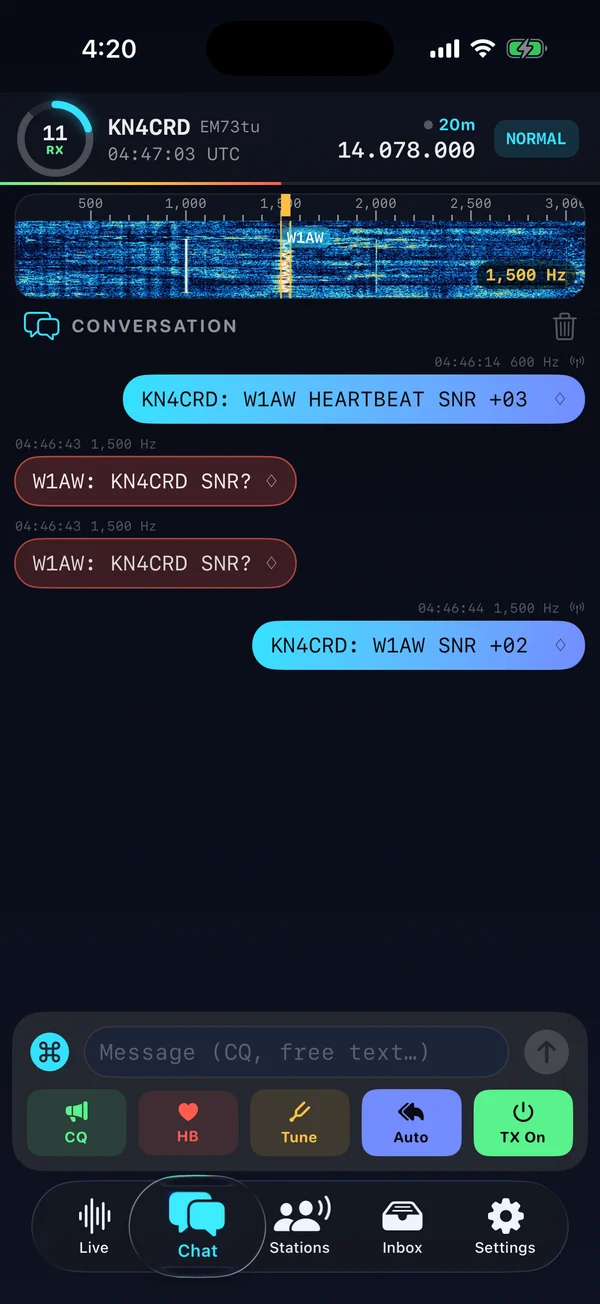
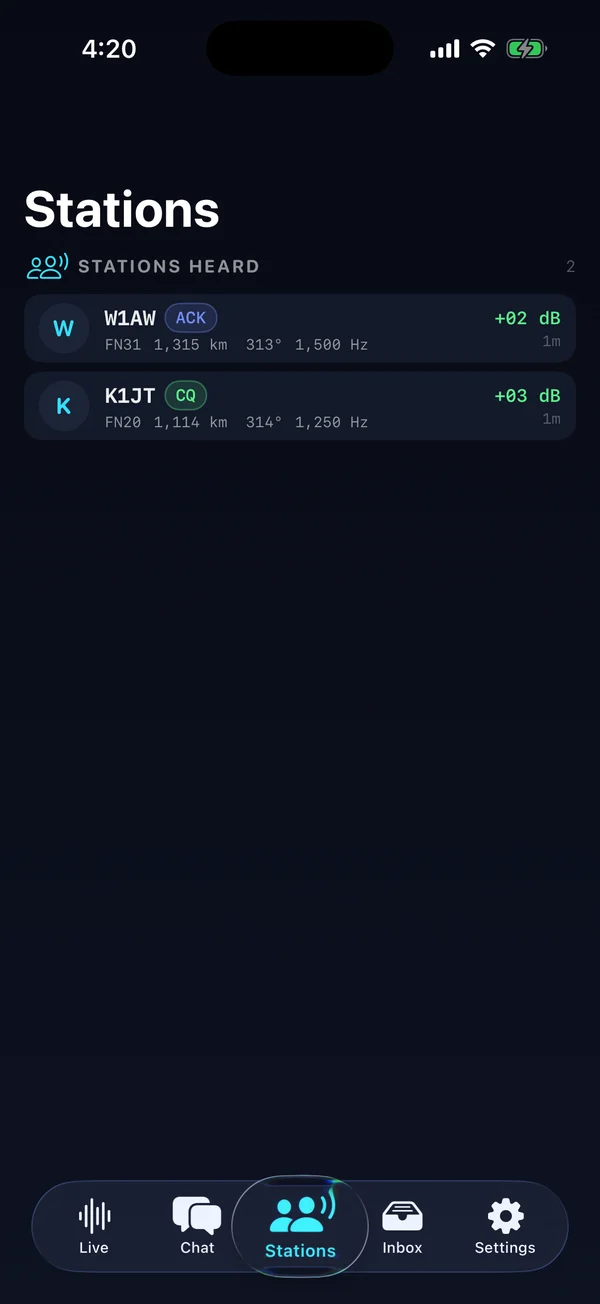
Screenshots from the iPhone Simulator, decoding JS8 test signals played over the air from a nearby speaker.
iPhone setup guide (PDF) Step by step for the QMX and the Digirig Lite: wiring, app settings, setting levels, a first on-air test and troubleshooting.
JS8 Firefly isn't on the App Store yet, but you can try it through Apple's TestFlight beta. Open the link below on your iPhone, install the TestFlight app if you don't have it, then tap Accept and Install.
Found a problem, have an idea for a feature, or want something changed? Email me at nathan@nr5p.com. Including your callsign and radio setup helps me track problems down. You can also open an issue on GitHub.
You can also build it with Xcode on a Mac (free) and run it on your own iPhone or iPad. Open the project, pick your device, set your Apple ID under Signing & Capabilities and press Run.
To run it on the Mac itself, pick My Mac as the destination instead. It's a native Mac app (macOS 14 or later), built from the same code as the iPhone version. The Mac version is newer and has had less testing on the air than the iPhone one.
git clone https://github.com/NR5P/js8-firefly.git
open js8-firefly/JS8Call.xcodeprojAll of JS8 Firefly's code is on GitHub at github.com/NR5P/js8-firefly. It's free software under the GNU GPL v3, built on the work of JS8Call by Jordan Sherer, KN4CRD, and its contributors. It isn't affiliated with the JS8Call project.
Source code · README & setup · Report a problem · License (GPL v3)
Support on PayPal JS8 Firefly is free and made in my spare time. If it's useful to you, a tip helps keep it going.