Sentinel Core
Fork of x0rro/xara · under active development Xara Fork

The xara modem, on Mac, iPhone and Android.

xara is an open-source, VARA-compatible modem for Linux by x0rro. This is my fork of it, where I'm porting the same modem to macOS, iPhone and iPad, and Android, so Winlink and other VARA software can use it on the computers and phones hams already carry.

What's working Screenshots The fork on GitHub
This is a fork, and it's under active development. The modem itself is x0rro's xara; all credit for it goes there. This fork adds the ports to other platforms and is changing every day. Nothing here is released yet: there are no App Store or Play Store builds, and the apps have been tried in the iOS Simulator, the Android emulator and on a Mac, but not yet on the air with a radio attached. Please don't report problems with this fork to the original project. Tell me or open an issue on the fork instead.
What's going on

One modem, four platforms.

The apps aren't rewrites. Each one runs xara's own Rust modem, built as a library and wrapped in a small native app: SwiftUI on the Mac and iPhone, Jetpack Compose on Android. A fix to the modem reaches every platform at once. Each app opens the usual VARA ports (command 8300, data 8301, KISS 8100), so Winlink Express, Pat and other VARA clients can use it as their modem.

macOS

The xara command now builds and runs on a Mac, with CoreAudio and serial, CM108/AIOC and rigctld PTT. A Mac app wraps it in a window and a menu bar icon, and other apps can start it with xara://start.

iPhone & iPad

The same modem on iOS. Plug in a USB audio interface such as a Digirig. iOS gives apps no serial or HID access, so PTT is VOX or rigctld on the network. It keeps receiving in the background.

Android

The modem as a native library behind a Compose app, running as a foreground service so it keeps going with the screen off. USB audio through AAudio at 48 kHz, PTT by VOX or rigctld for now.

Received text and monitor mode

A Received tab shows what the modem decodes as text. Turn on Show other stations' traffic and it also decodes VARA HF traffic between other stations, like VARA's monitor, as text or every packet heard.

xara's web UI built in

Every app has xara's own web UI in a tab: link state, bitrate, S/N, levels, the modulation in use and the waterfall.

Shared back upstream

The fork stays close to x0rro's code so the ports can be offered back to the original project if they're wanted. Until then, they live here.
Screenshots

What it looks like so far.

macOS

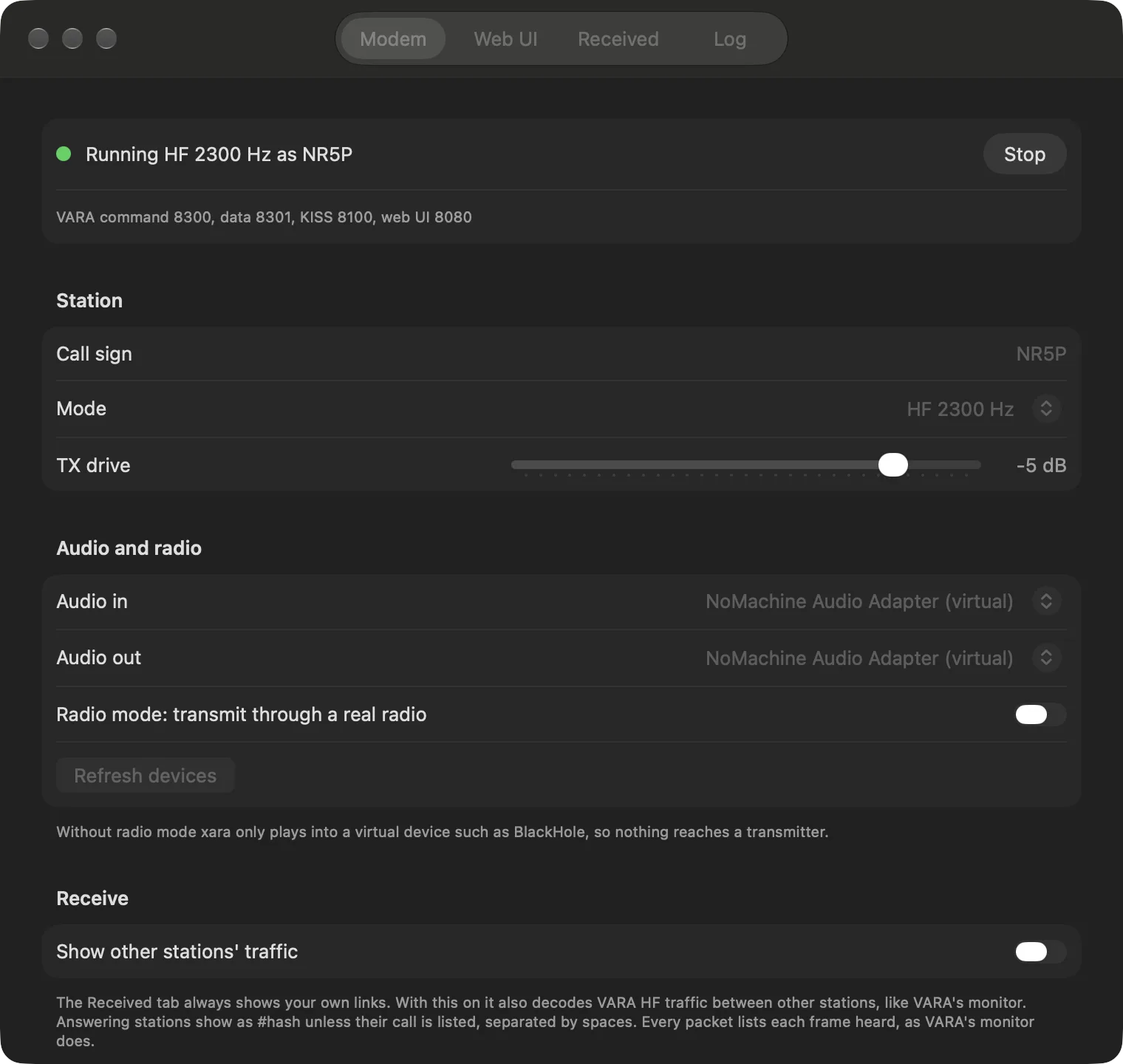
The Mac app's Modem tab: running HF 2300 Hz as NR5P on VARA command port 8300, data 8301, KISS 8100 and web UI 8080, with call sign, mode, TX drive, audio in and out, radio mode and the Show other stations' traffic switch
Modem. Running HF 2300 Hz, with station, audio and receive settings.
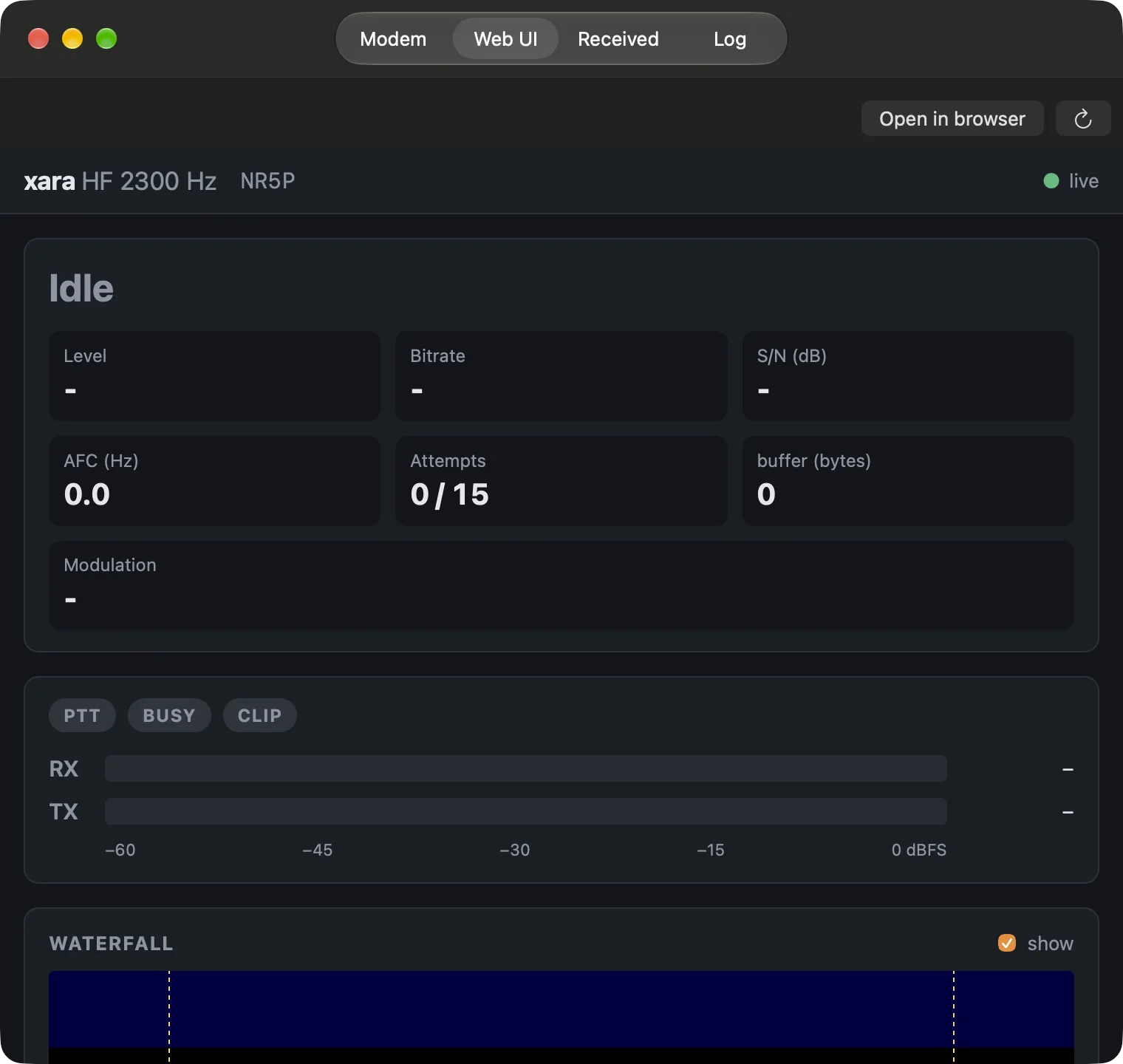
The Mac app's Web UI tab showing xara's web UI: idle, level, bitrate, S/N, AFC, attempts, buffer, modulation, PTT/BUSY/CLIP indicators, RX and TX meters and the waterfall
Web UI. xara's own status page and waterfall, inside the app.

iPhone & iPad

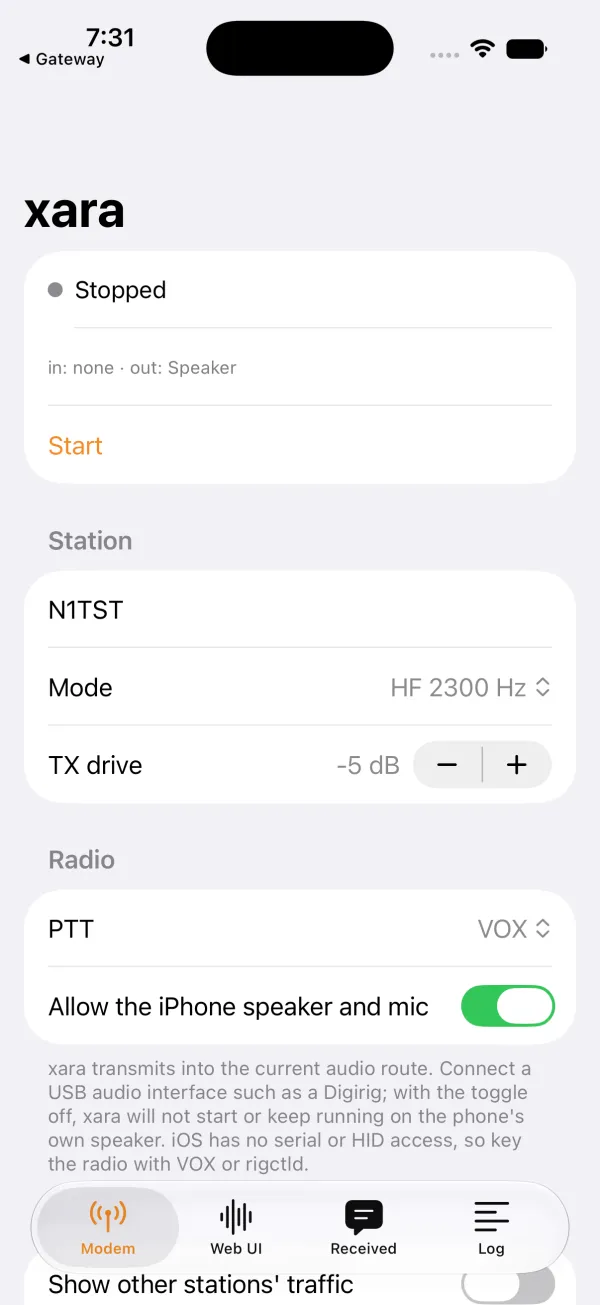
The iPhone app's Modem tab: stopped, with call sign, HF 2300 Hz mode, TX drive, VOX PTT and the Modem, Web UI, Received and Log tabs
Modem. Start/stop, station and radio settings.
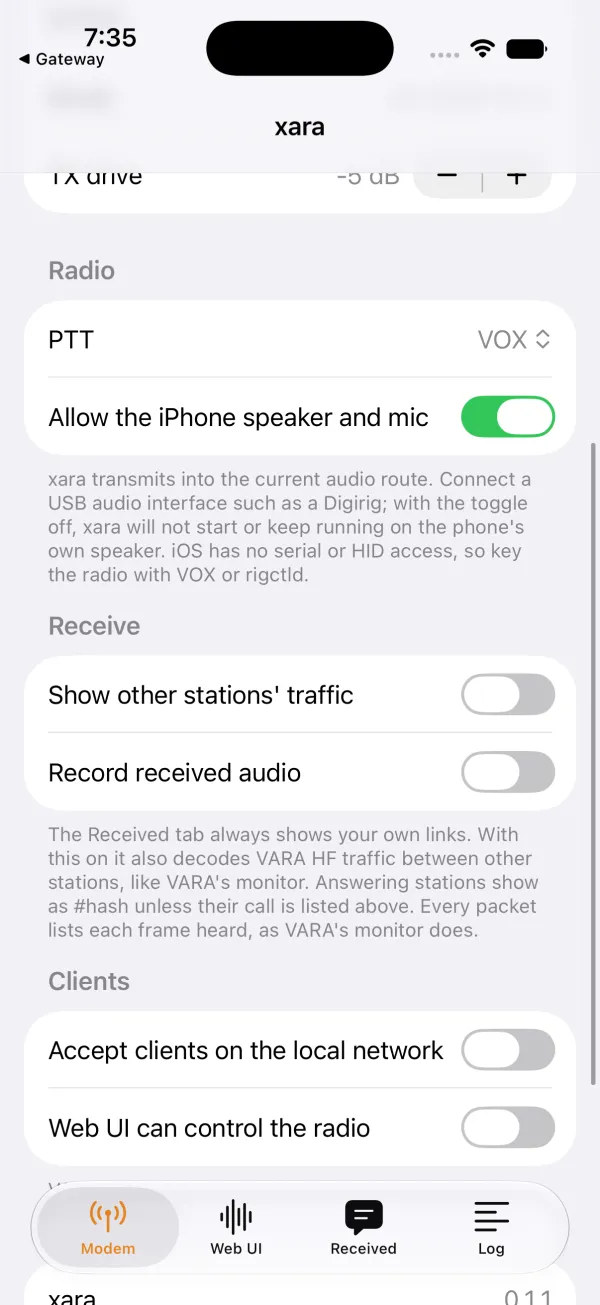
Further down the Modem tab: the Receive section with Show other stations' traffic and Record received audio, and the Clients section with Accept clients on the local network
Receive & clients. Monitor mode and LAN access for Winlink.

Android

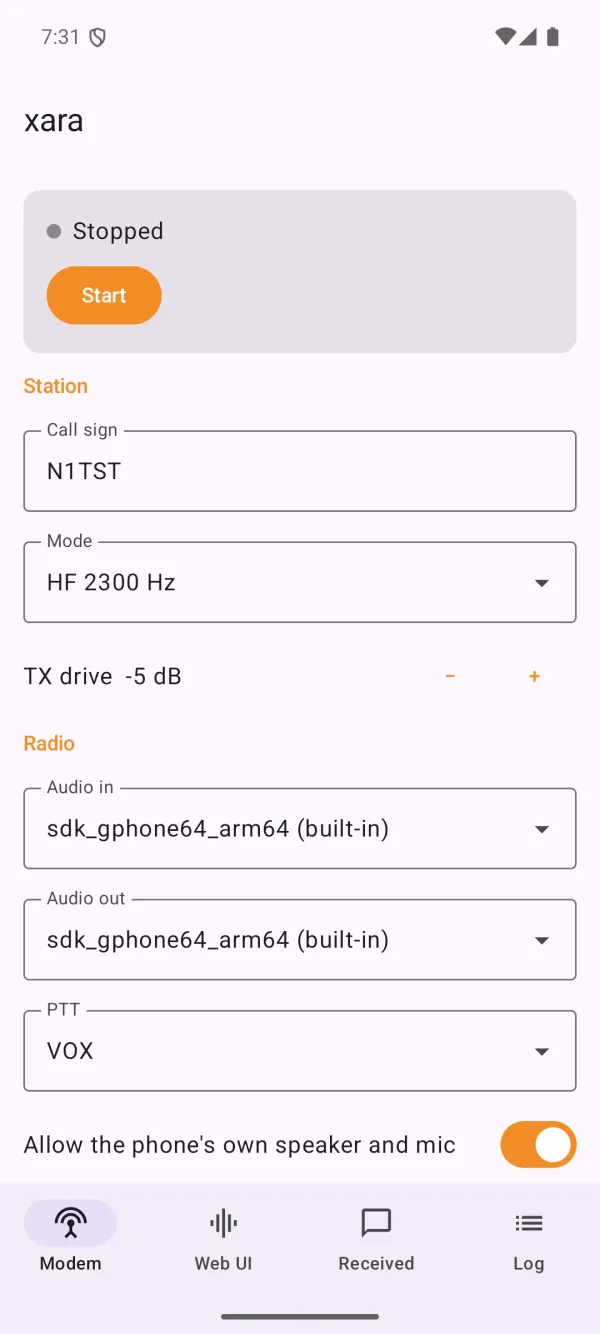
The Android app's Modem tab: call sign, HF 2300 Hz mode, TX drive, audio in and out devices and VOX PTT
Modem. Station, audio devices and PTT.
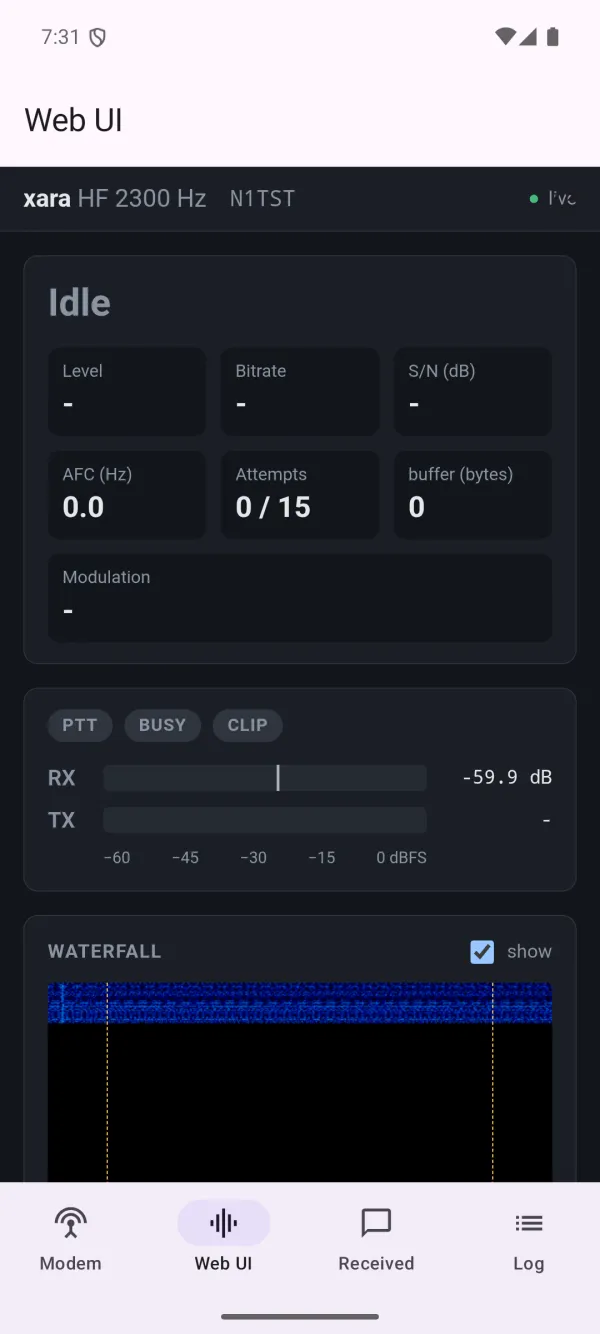
The Android app's Web UI tab with the modem running: idle status, RX level meter and the waterfall starting to fill
Web UI. The modem running, with levels and waterfall.
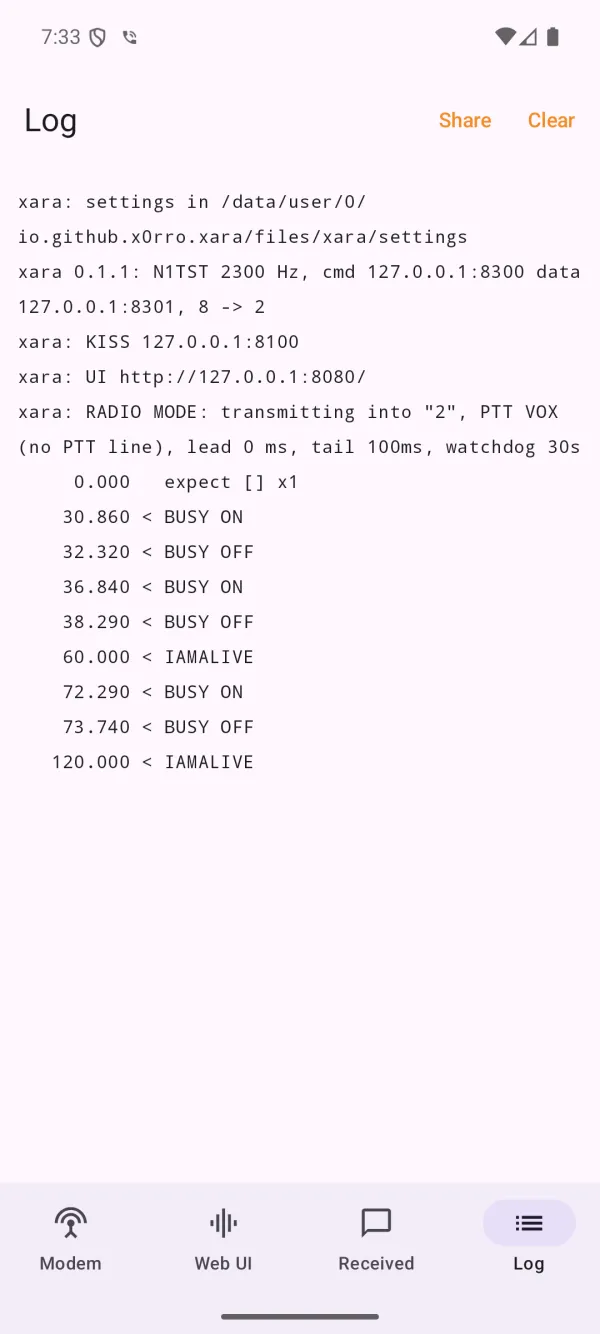
The Android app's Log tab: xara 0.1.1 started on the VARA command, data and KISS ports and the web UI, then BUSY and IAMALIVE lines
Log. Everything the modem logs, ready to share.

Screenshots from the Mac app, the iOS Simulator and the Android emulator (Pixel 8), taken October 2026. The apps don't have their own icon yet; the one on this page is a placeholder.

Status · under active development

Where the ports are.

macOS command lineBuilds and runs. CoreAudio audio, devices listed with xara --list-devices, PTT by serial RTS/DTR, CM108/AIOC by USB id, or rigctld. A launchd agent starts it at login.
Mac appWorking on the Mac: modem settings, web UI, received text, log and a menu bar icon. Not signed or notarized, so build it yourself for now.
iPhone & iPadRuns in the iOS Simulator. Not yet tried on a device with a radio attached. Not on TestFlight yet.
AndroidRuns in the emulator. Still to do: USB serial and CM108 PTT through Android's USB host API, and testing on a phone with a radio.

Build it yourself

You'll need Rust. The iOS and Mac apps need Xcode; Android needs the Android SDK with NDK 28.2. Each project builds the Rust modem first. The work is on the xaraRxText branch, and the README in each folder (macos/, ios/, android/) has the details.

git clone -b xaraRxText https://github.com/NR5P/xara.git
cd xara && cargo build --release

Credit and license

xara is written by x0rro and released under the MIT license. The original project is at github.com/x0rro/xara; this fork is at github.com/NR5P/xara. VARA is a trademark of its author; xara is an independent, compatible implementation and isn't affiliated with VARA.

Original xara · This fork · Report a problem with the fork · License (MIT)

Support on PayPal The ports are made in my spare time. If they're useful to you, a tip helps keep them going.