 Sentinel Core
RigHelm for iPhone is a remote for RigHelm. Leave RigHelm running on the computer the radio is plugged into, and tune, listen and talk from anywhere in the house. The phone finds the station by itself.
Open the app and RigHelm stations on your Wi-Fi are listed, with whether the radio is on and whether they accept a microphone. Or type an address.
Turn the helm wheel, drag across the frequency, step with the arrows or type a frequency in. Bands, modes, VFO A/B, split, lock and the tuner are one tap away.
The radio's receive audio plays on the phone, smoothed out for Wi-Fi, and keeps playing with the screen off or in another app.
Switch to PHONE MIC and hold the big button to talk. The radio's MIC SEL menus go to USB while you use it and back to what they were when you're done.
Switch to PHONE KEY and the bottom of the screen becomes iambic paddles: left for dit, right for dah, both thumbs to squeeze. Straight key, iambic A or B, typed text and a sidetone on the phone.
AF/RF gain, squelch, AGC, preamp, attenuator, roofing, width, IF shift, noise blanker, DNR, notch, contour, power, mic gain, processor, VOX, monitor, clarifier and CW keyer.
Transmit stays locked until you allow it in Settings. The phone lets go of the radio when it goes in your pocket or after a time-out, and the CW key goes back to the radio's own key when it's not in use.
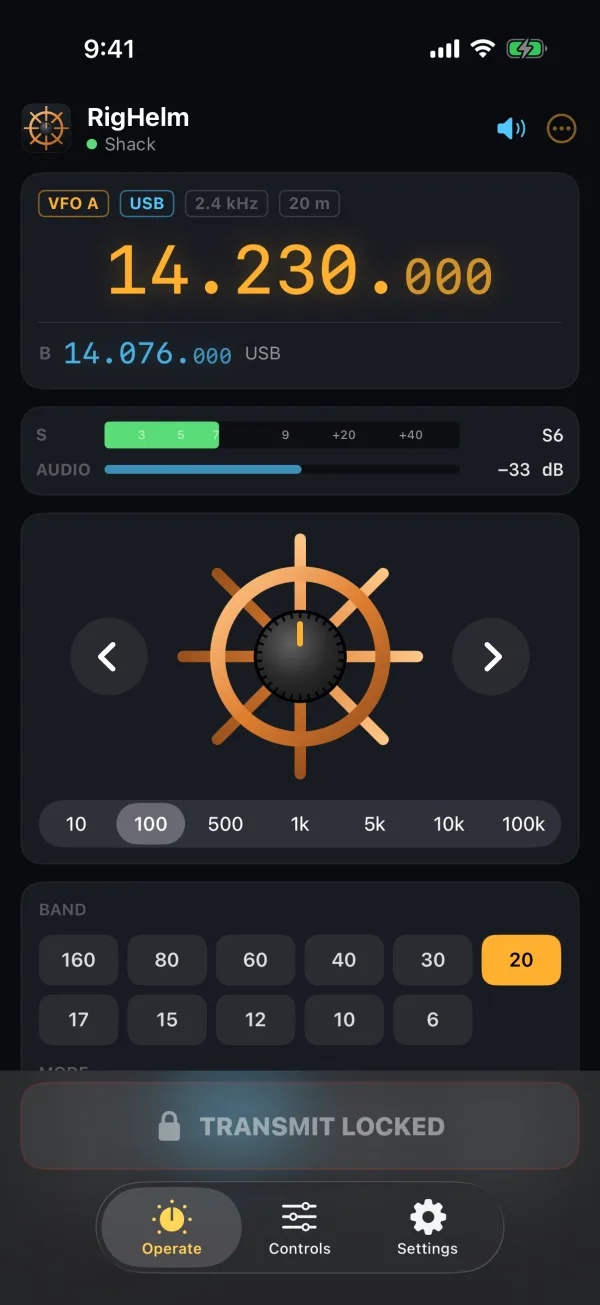
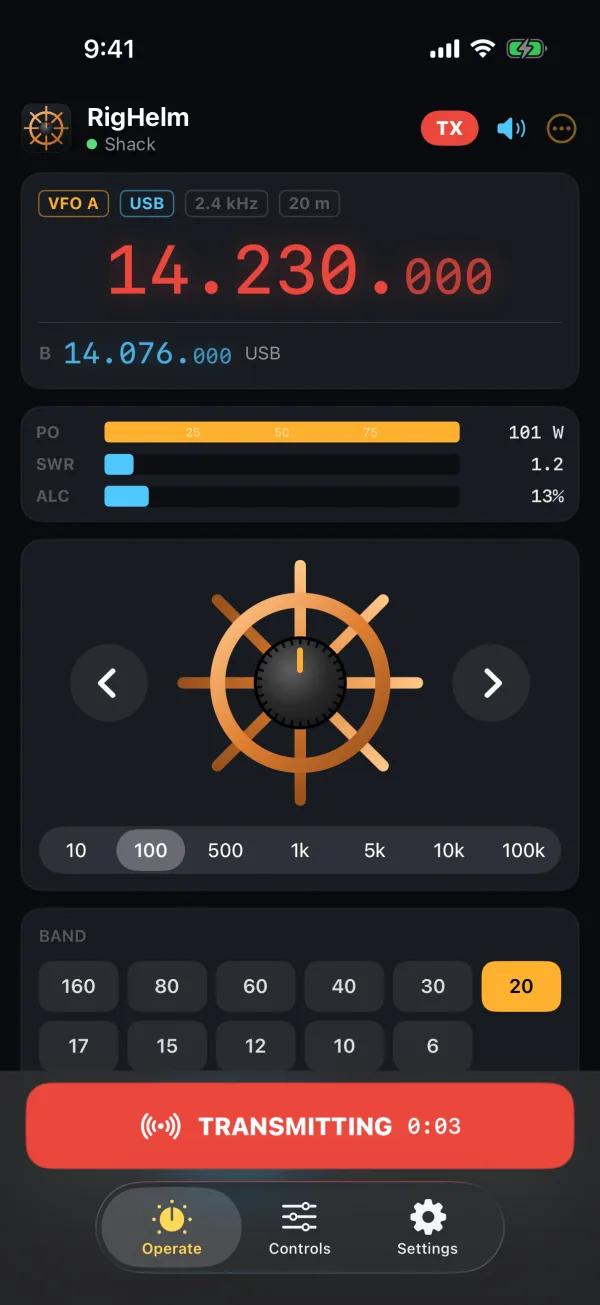
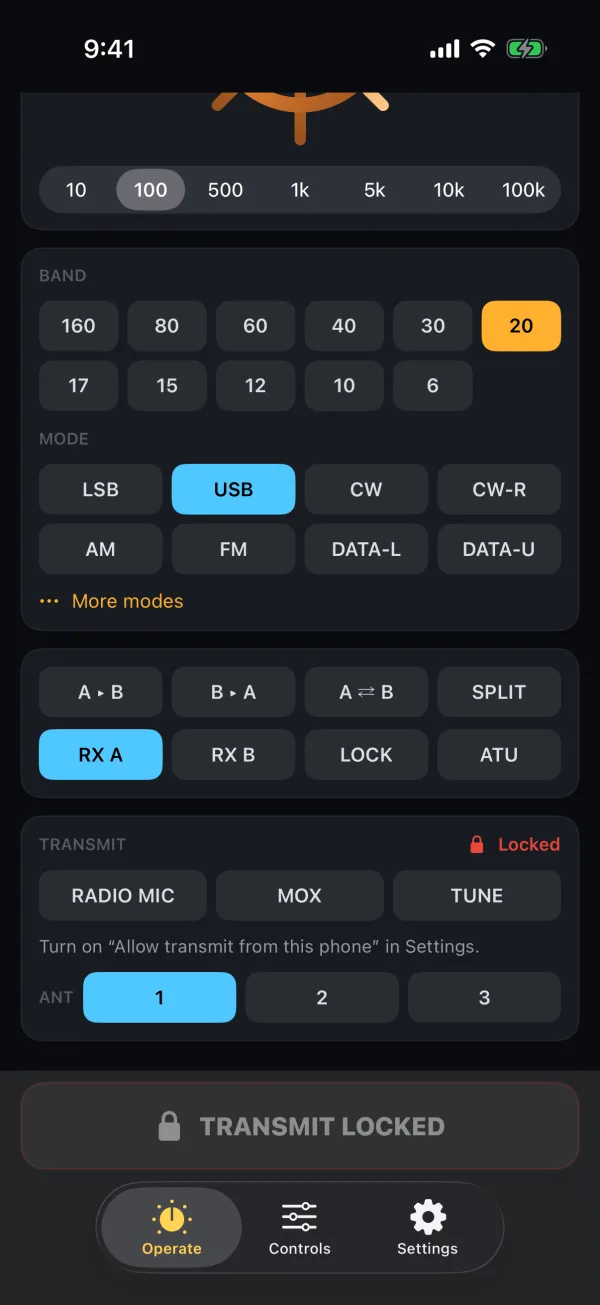
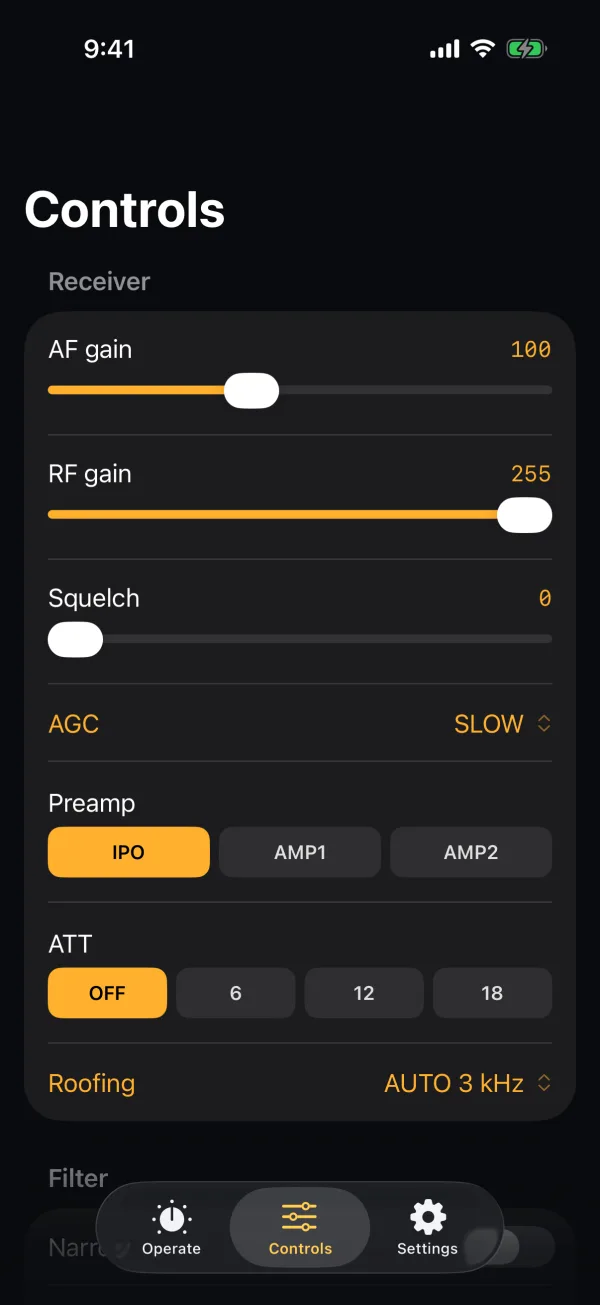
Screenshots from the iPhone Simulator, connected to RigHelm with its built-in FTDX3000 simulator.
Latest: RigHelm for iPhone v1.1.1 (testing) · receive audio without dropouts or crackle
TestFlight is Apple's free app for trying apps before they're in the App Store. Open the link on your iPhone, install TestFlight from the App Store if it asks, then tap Accept and Install. New test builds show up in TestFlight by themselves. It needs iOS 17 or later.
To send feedback, take a screenshot in the app and tap Share Beta Feedback, or open RigHelm in TestFlight and tap Send Beta Feedback.
You can also build it with Xcode on a Mac (free) and run it on your own iPhone. Open the project, pick your phone, set your Apple ID under Signing & Capabilities and press Run.
git clone --branch v1.1.1 https://github.com/NR5P/righelm-ios.git
open righelm-ios/RigHelm.xcodeprojAll of the app's code is on GitHub at github.com/NR5P/righelm-ios. It's free software under the GNU GPL v3, like RigHelm.
Source code · README & setup · Report a problem · License (GPL v3) · RigHelm for Windows, Mac & Linux
Support on PayPal RigHelm is free and made in my spare time. If it's useful to you, a tip helps keep it going.