 Sentinel Core

Whistlestop is an original project of mine: keyboard chat, file transfer and group conversations over Rhizomatica's open-source Mercury modem, built around a new idea for finding each other on the band. It's an experiment I'm still building and testing. It hasn't been used on the air yet, and there's nothing to download.
Calling CQ in most digital modes means agreeing on a channel or a schedule in advance. Whistlestop tries something else. A CQ starts with a short signature chirp, the whistle ("whee-ooo, whee-ooo"). A station that's scanning can hear it from up to about ±1 kHz away and work out exactly how far off it is, to under 1 Hz. It retunes onto the caller, well inside Mercury's ±55 Hz capture window, then decodes the digital CQ with the call sign, and the two link up. No time slots and no fixed calling frequency.
As far as I know, nothing else does it this way. ALE and selective calling are the closest, but they sit on preset channels. LoRa uses chirps to find a signal's offset, but on UHF and not for scanning. The design notes cover this in more detail: DESIGN.md.
Sweeps a band's digital segment, stops on a whistle, locks on and answers. A station parked on one frequency still sees whistles nearby and can tune to them with one click.
One-to-one keyboard chat with delivery confirmation, and group Roundtables where the host speeds up to the fastest mode every member can copy.
Offer and accept with a predicted time, built-in zip for folders, a SHA-256 check, and resume after a dropped link.
With an RTL-SDR on the radio's RX or IF output, it watches the whole digital segment at once and hands any whistle it finds to the main radio.
The whole app with a simulated radio, band, modem and a demo station, so it can be tried with no radio at all. This is how the screenshot below was made.
Mac, Windows and Linux, written in Rust. Early iPhone and Android versions run the same engine with Mercury built in, but they've only been tested against the demo station.
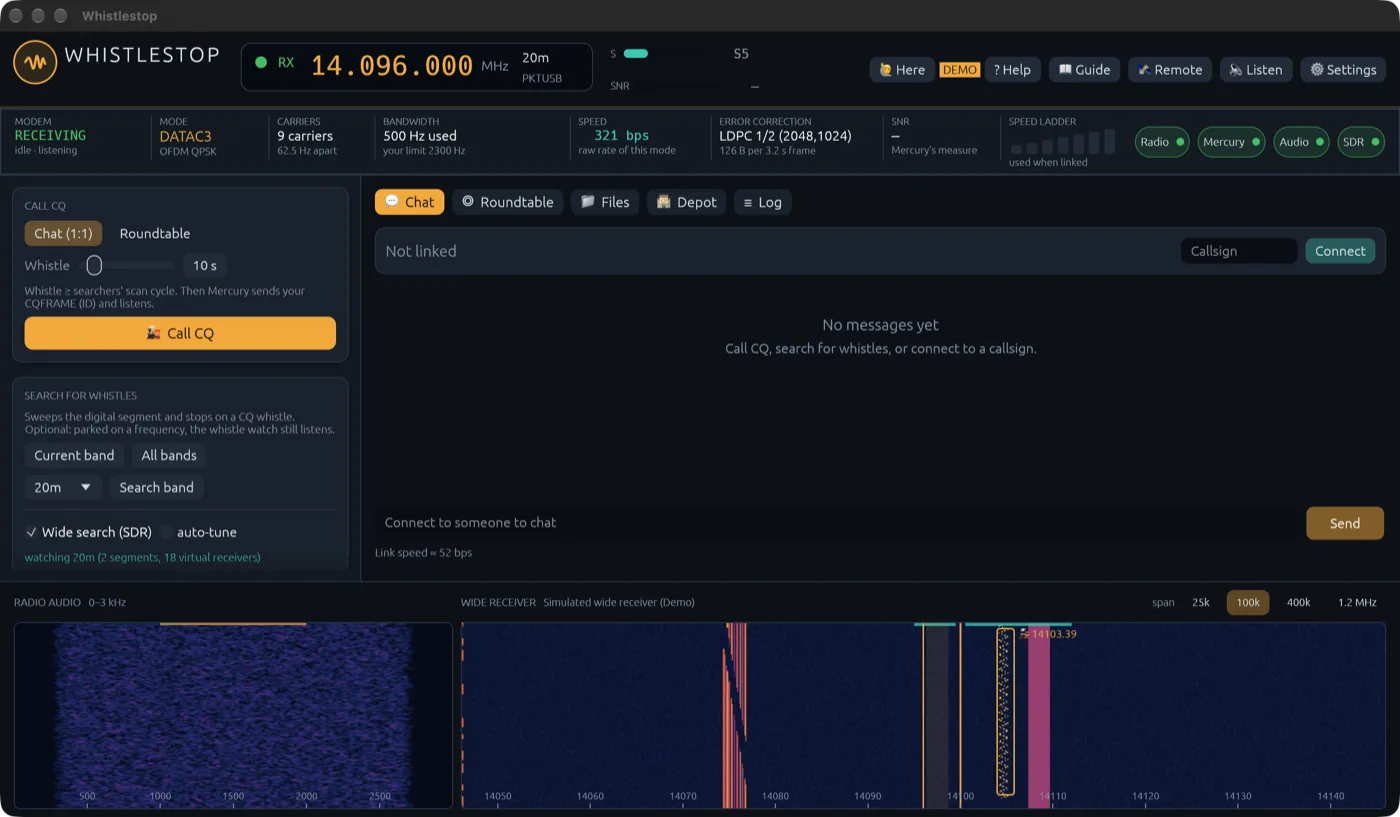
Screenshot from Demo mode, with a simulated radio and band. Nothing in it was on the air.
The code is on GitHub at github.com/NR5P/whistlestop, under the GPL v3. It's there for anyone curious about how the whistle works, not as something ready to put on the air. There are no builds to download. The README and design notes describe what's done and what's still to come; the next big step is the first on-the-air tests between two real stations.
Whistlestop rides on Mercury, Rhizomatica's open-source HF modem, and works with hamlib's rigctld or RigHelm for rig control.
Source code · Design notes · Protocol · Ideas & problems · License (GPL v3)